Settings
The Orion Admin settings page is where admins configure the Orion deployment. Open it from the user menu in the top right of Orion Admin.
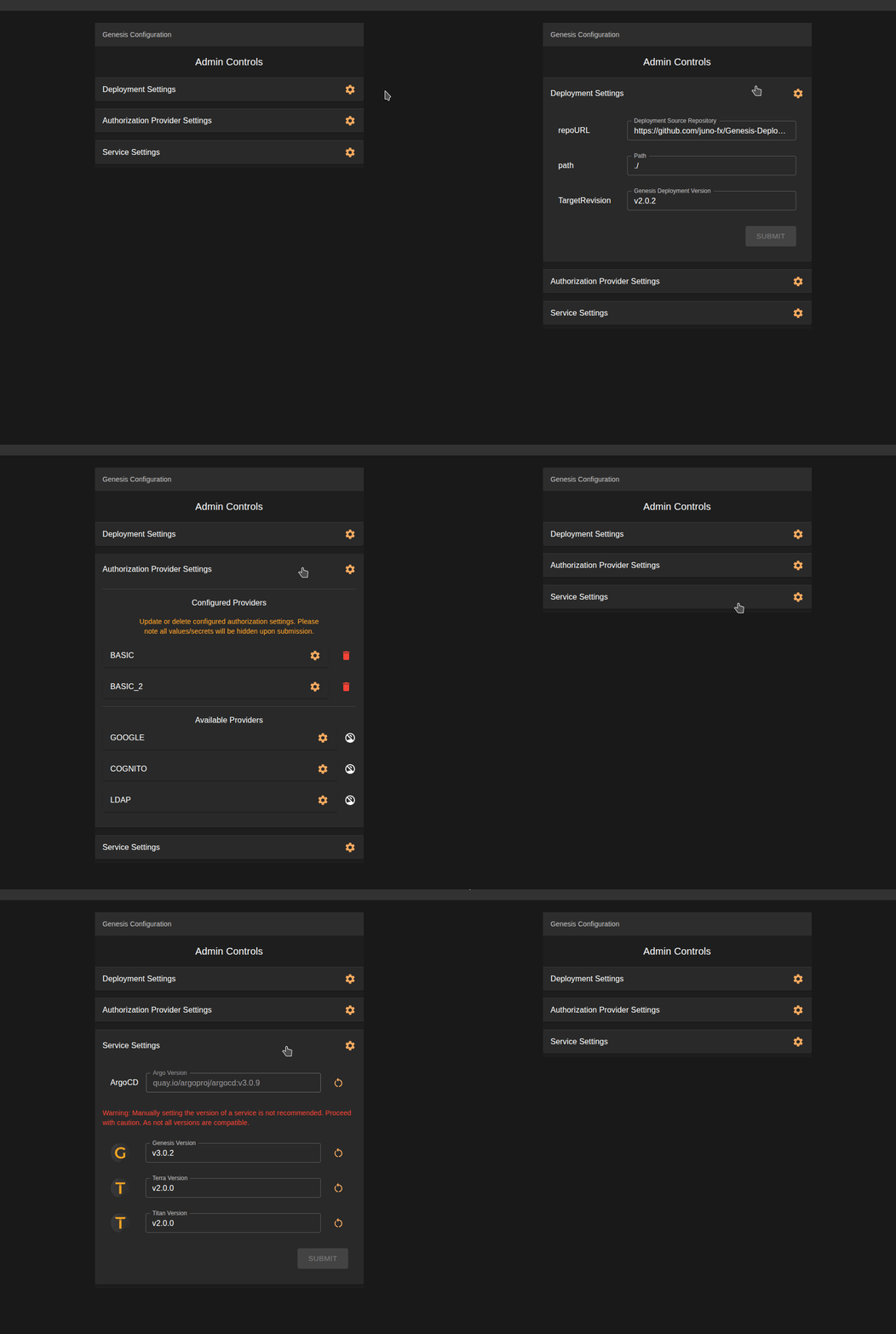
Here you can update your deployment targetRevision, authorization providers, and service images. You can also restart services.
Authorization Providers
Admins can add and update authorization providers directly from the settings page, without editing the deployment by hand. This is the recommended way to configure authentication. Supported providers are Google, AWS Cognito, Microsoft Entra, and AD/LDAP. See our authentication setup guide for the steps to create the credentials each provider needs.
LDAP Connection Test
When adding LDAP authentication for the first time, a "Test Connection" button is available next to the LDAP settings. Click it to validate your LDAP server details before submitting the form.
Initial configuration only
The connection test button is only available while configuring LDAP for the first time. It is not available when editing existing LDAP settings, since testing an edit would require passing your full LDAP settings, including credentials, back to the frontend, which we consider a security risk.
Service Settings
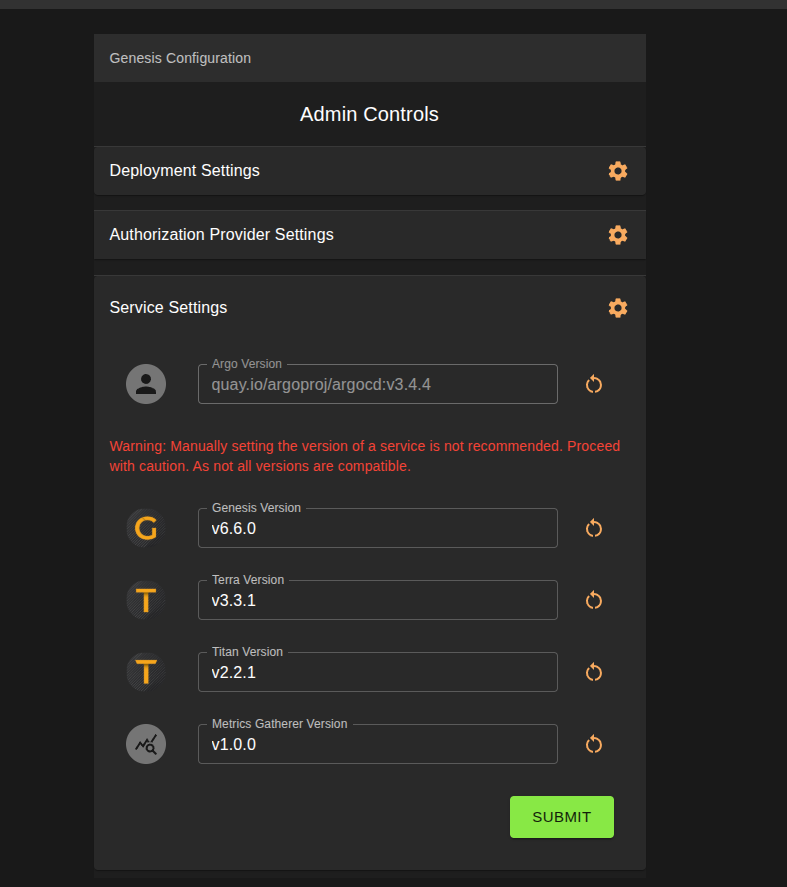
The Service Settings dropdown lists the services deployed by the Genesis deployment chart. Each service has a version field, letting you override the image version it runs, and a restart icon to restart that service's deployment.
| Service | Purpose |
|---|---|
| Argo | Deployment management. |
| Genesis | Orion's central management component. |
| Terra | Plugin manager. |
| Titan | User management. |
| Metrics Gatherer | Cluster metrics collection. See the Metrics Gatherer documentation. |
Manually setting the version of a service is not recommended, as not all versions are compatible. To roll a service back to the chart default, clear its version field and click submit. See our upgrade and rollback guide for details.
Ingress Class
The settings page includes an ingress class field, letting admins switch Orion over to another ingressClass
installed on the cluster without editing the deployment by hand. Only ingress classes that are actually installed and
available are selectable. The same field is available on the workspace creation form.
Session Settings
The Session Settings section controls how long users stay signed in. These settings apply to Orion Admin and are passed down to Orion Workspaces in every workspace.
| Setting | Default | Description |
|---|---|---|
| Session Max Age | 12 hours | Signs a user out after this many hours of inactivity. |
| Force Logout | 24 hours | Signs a user out after this many hours, regardless of activity. Set to 0 to disable. |